

Adding a new icon
We used Google Material Rounded Icons in this theme.
Adding a Regular Icon:
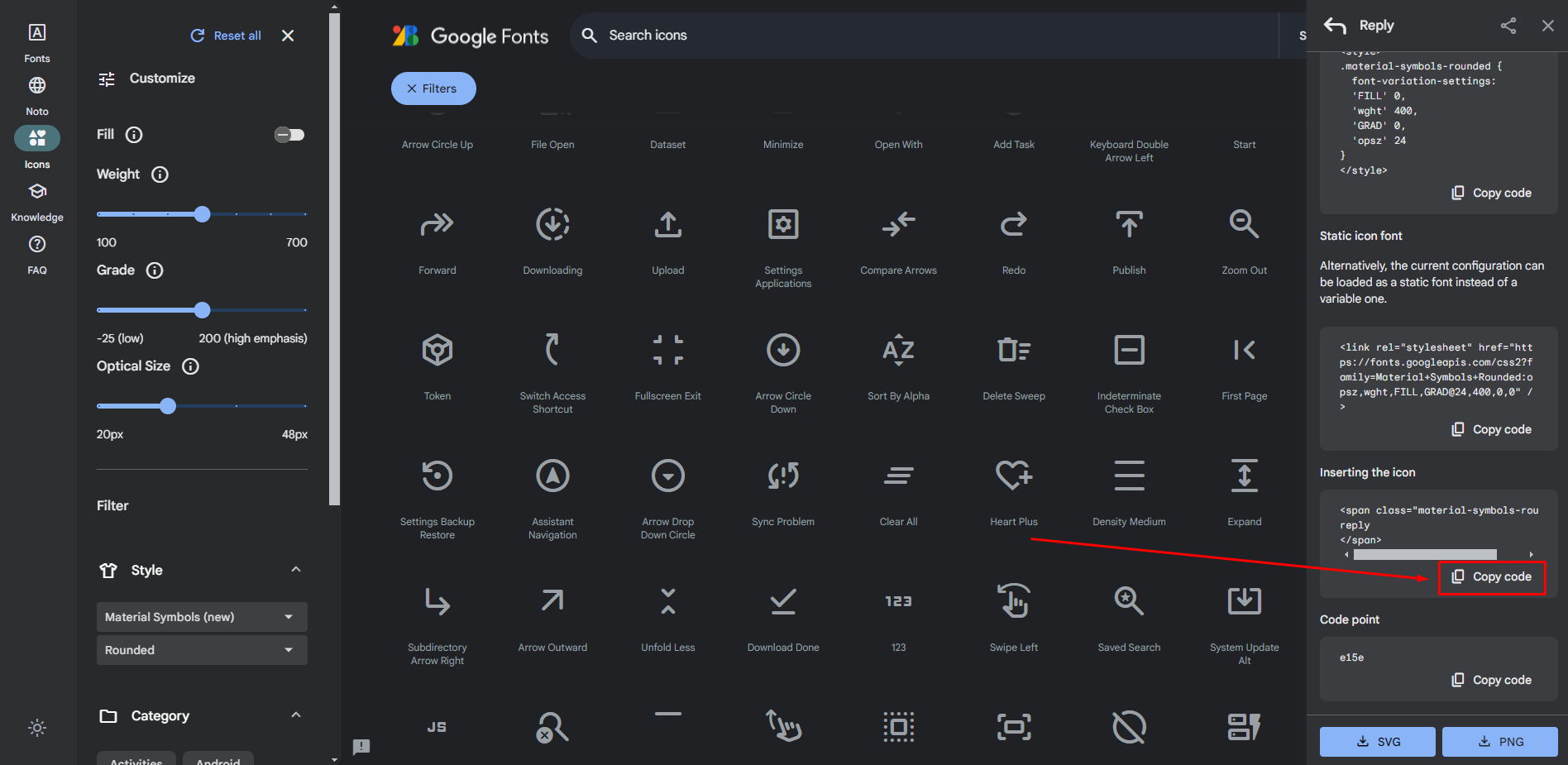
- Visit the Google Material Icons website at https://fonts.google.com/icons?icon.style=Rounded and ensure you select the
roundedstyle icons. - Choose your desired icon and click the “Copy Code” button.
- Paste the copied code into your HTML file.
Example Code:
<i class="material-symbols-rounded">play_arrow</i>Changing the HTML Tag (Optional):
- While the text suggests changing the
<span>tag to an<i>tag for consistency, both are generally valid for displaying icons. We useditag for icons in this theme
Adding a Filled Icon:
- To display a filled icon, simply add the class
icon-filledin your copied code.
Example Code:
<i class="material-symbols-rounded icon-filled">play_arrow</i>